An Inspiring Visual Tour of G Router Not Initializing With Ipv6
Google WiFi IPv6 troubleshooting
It's not false - it's that google only support IPv6 if the nest/google router has direct access to googles DNS servers. If there is *ANY* devices first like an unbridged modem, it breaks them.
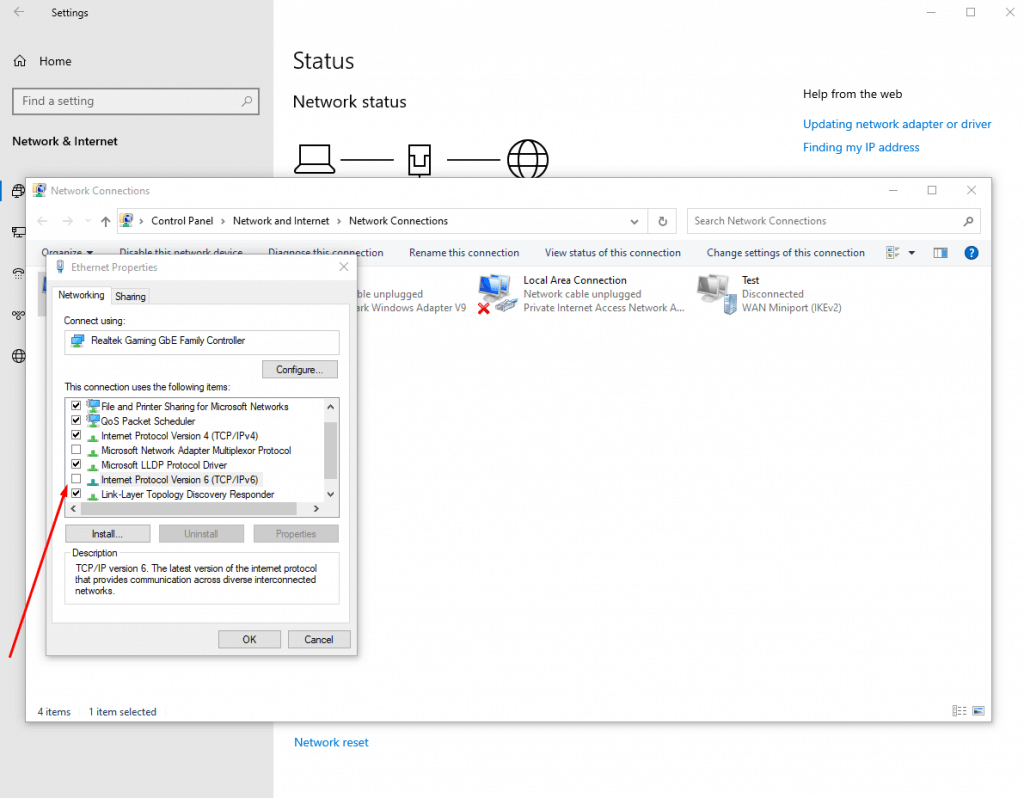
ipconfig / ifconfig / ip addr commands on any of the devices don't show any IP address with 2601: prefix. Any idea what I can do? Note: NAT6 works. Internet started lagging again like it used to with previous firmwares. Only difference is that it took a few hours before it did.
G Router Not Initializing With Ipv6
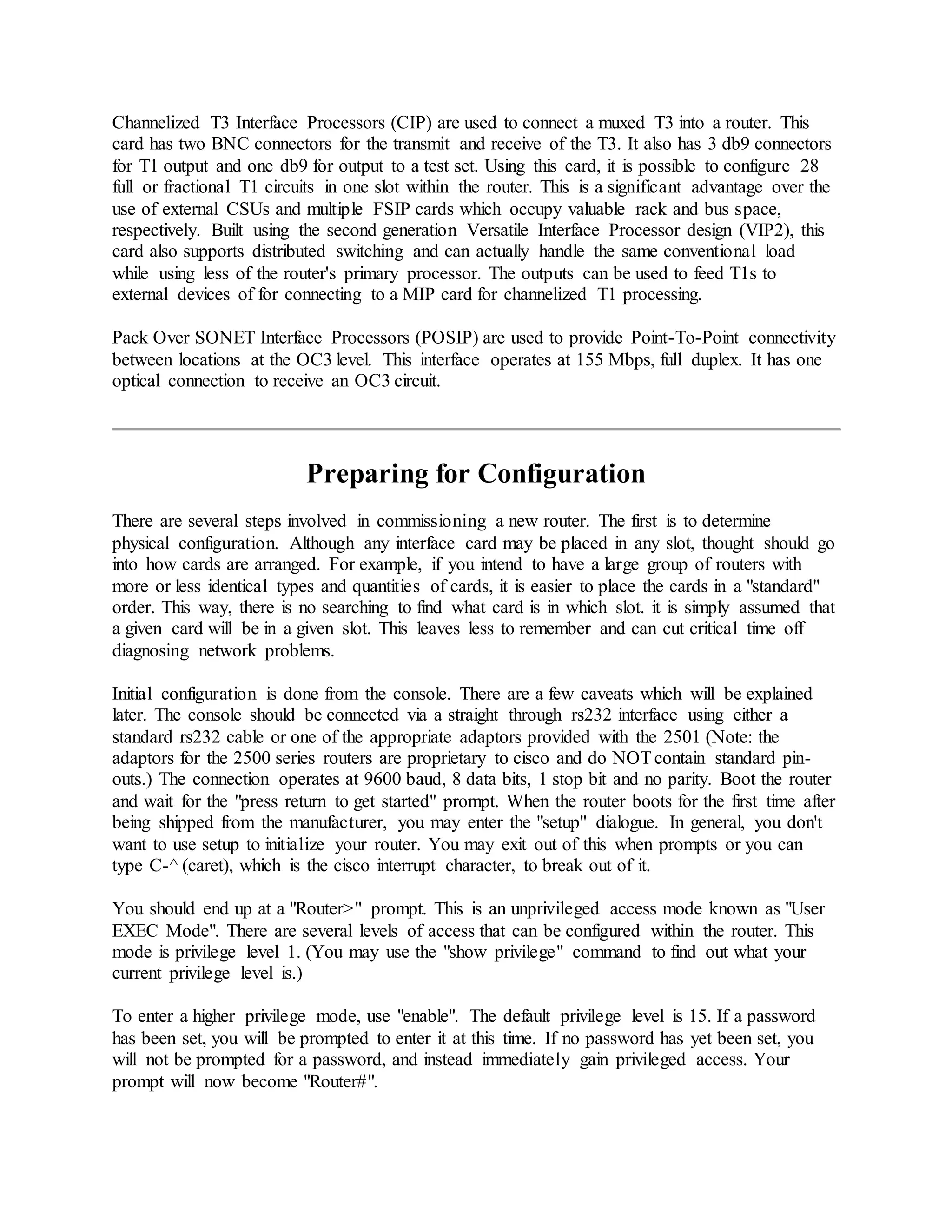
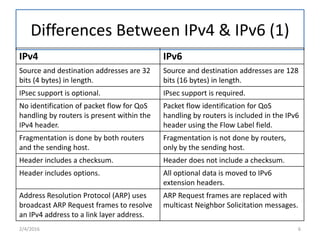
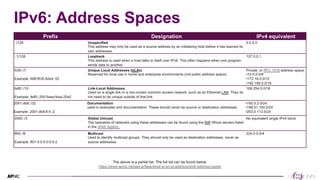
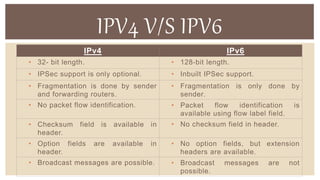
Moving forward, it's essential to keep these visual contexts in mind when discussing G Router Not Initializing With Ipv6.
Router Ipv6 Not Working Solution
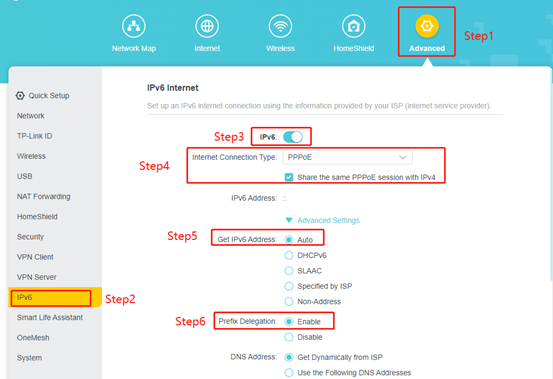
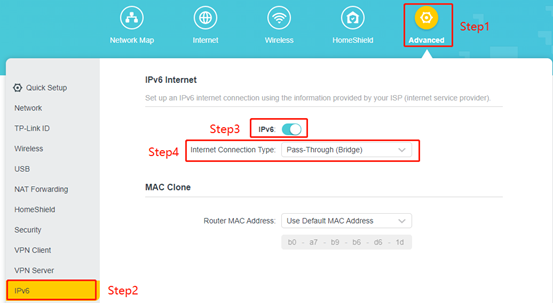
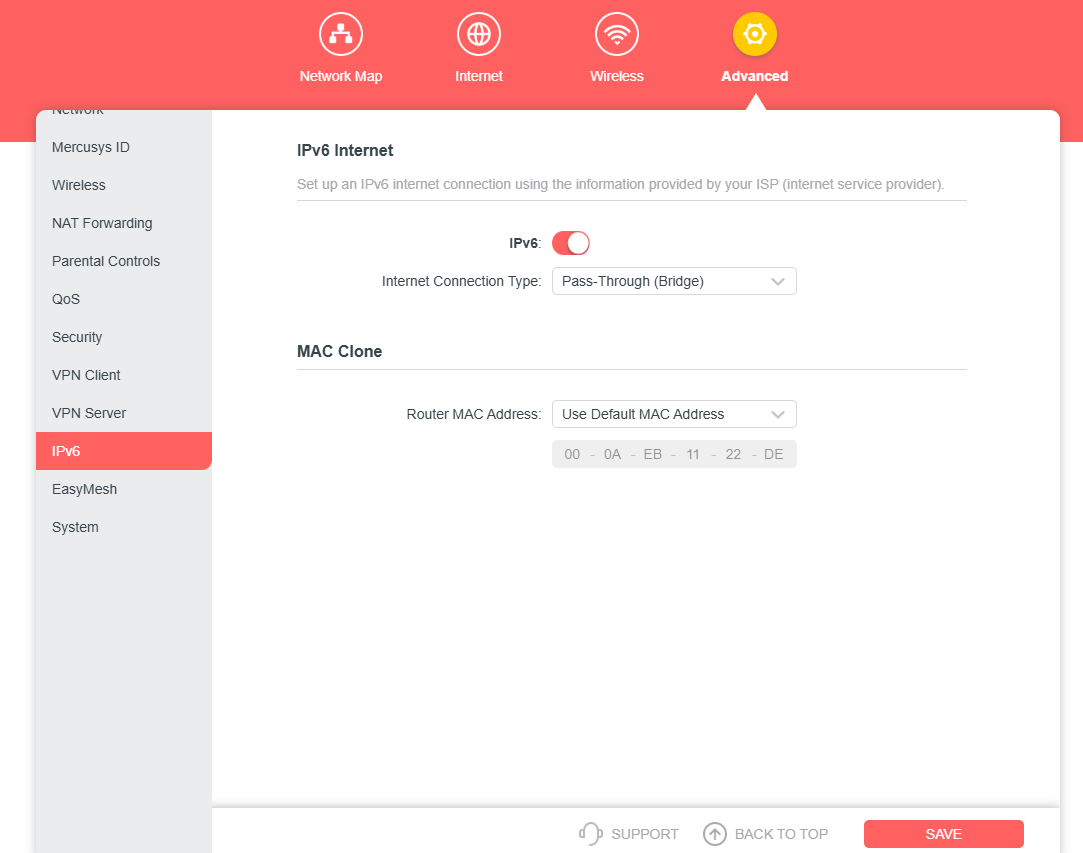
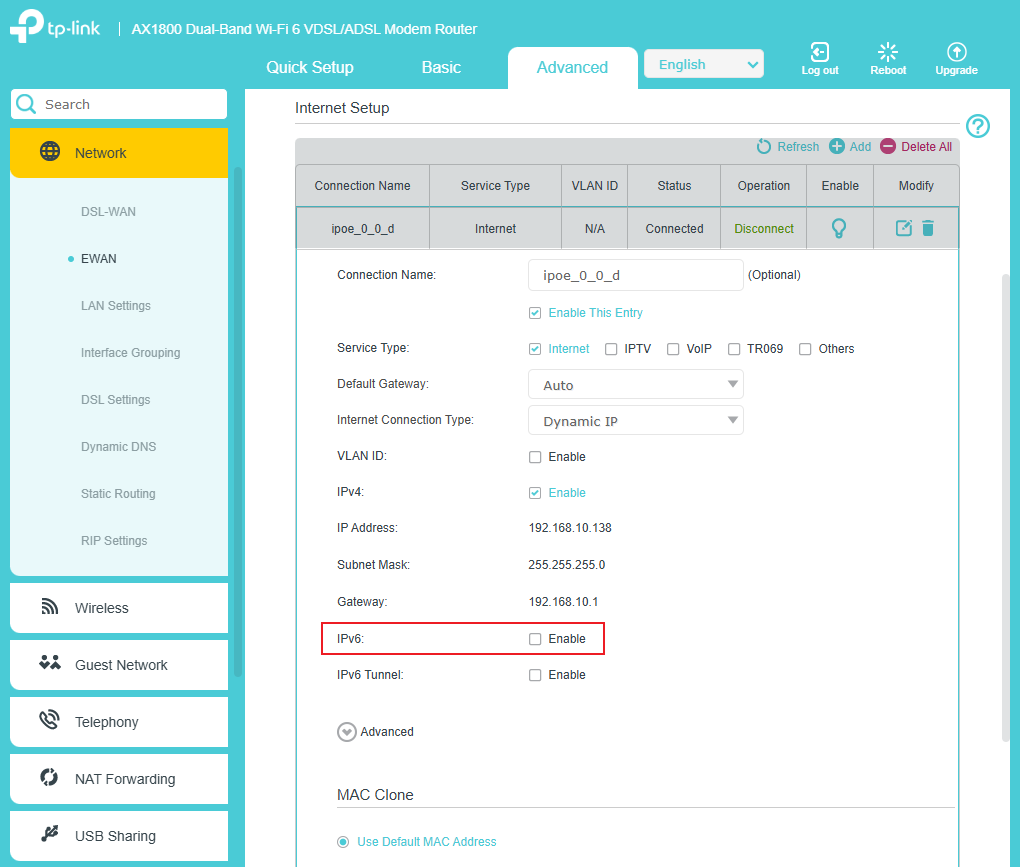
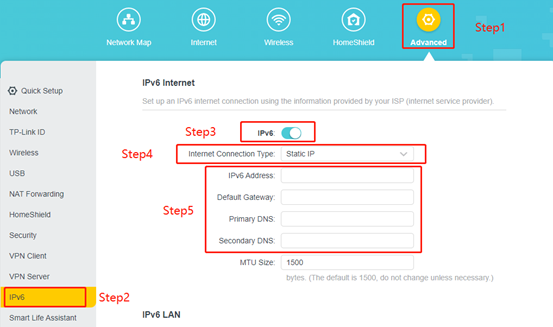
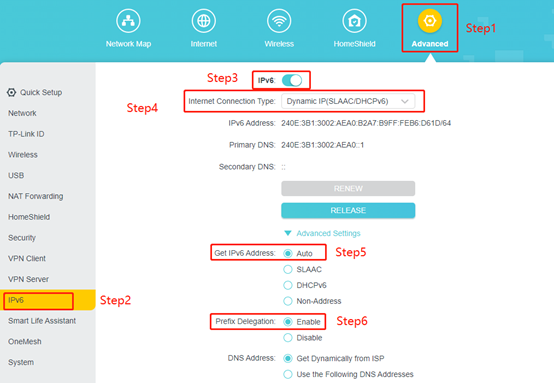
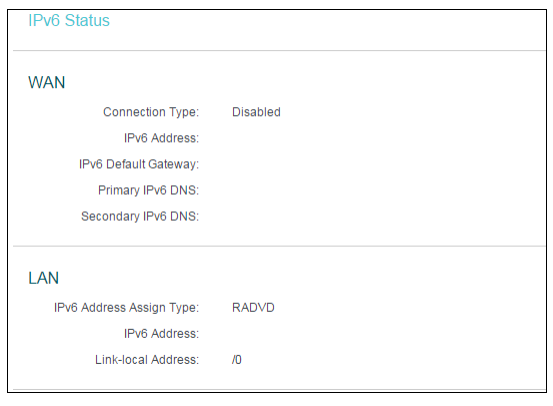
To fix your IPv6 issues, start by checking your router settings to confirm IPv6 is enabled, update your firmware to the latest version, and contact your ISP to verify IPv6 support. Reset your network configurations if needed, and consider factory resetting your router as a last resort.
G Router Not Initializing With Ipv6
Moving forward, it's essential to keep these visual contexts in mind when discussing G Router Not Initializing With Ipv6.
How to Configure IPv6 Settings on Your Router
Verify Configuration: Double-check your router settings to ensure that IPv6 is enabled correctly and that all configuration parameters (like IPv6 address, gateway, and DNS) match those provided by your ISP.